Web design for coding and STEM schools

Website design for coding and STEM schools.

Parents of curious kids want more than screen time. They look for a program that matches their child's age and level, shows what students actually build, and is taught by people who can explain it clearly.

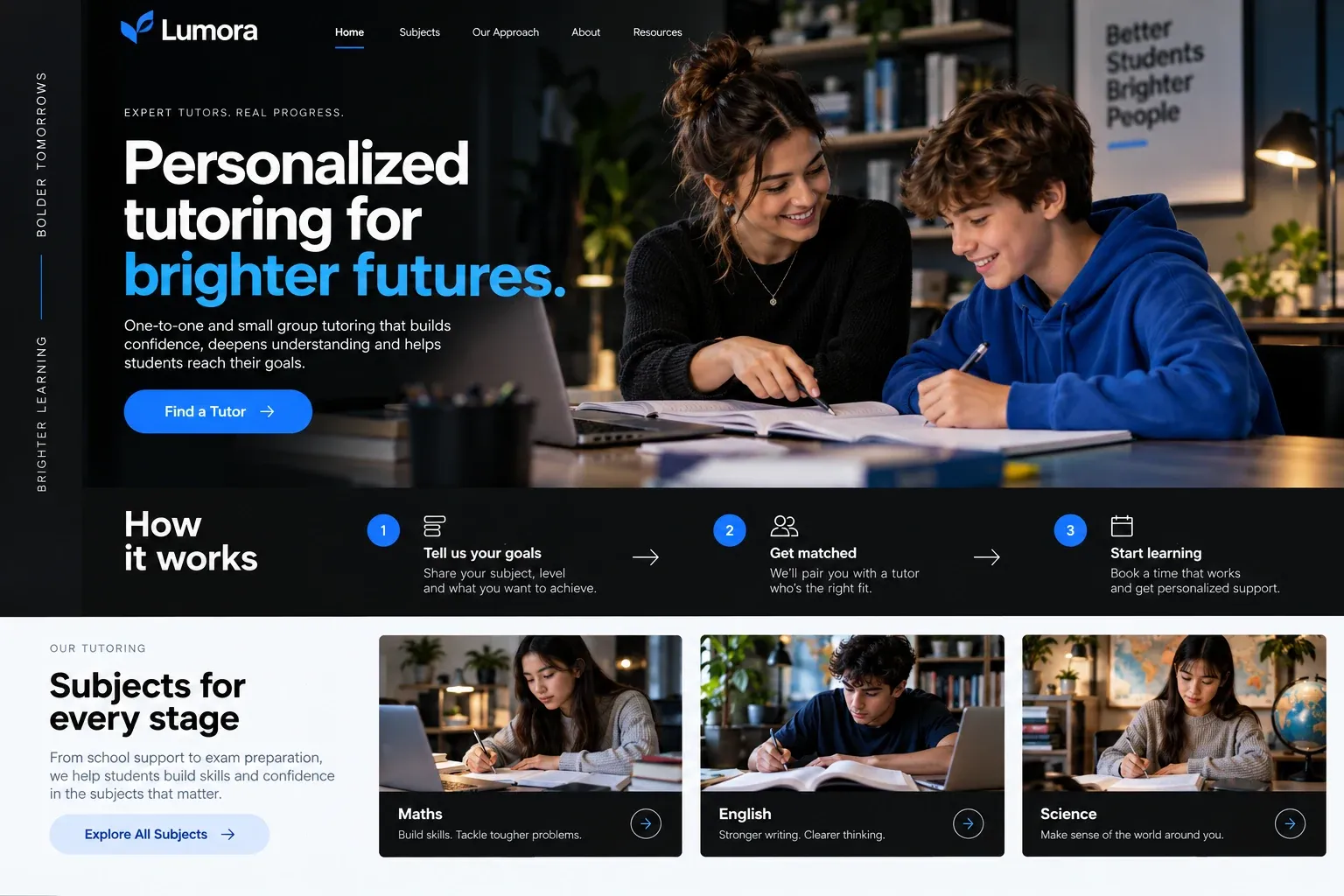
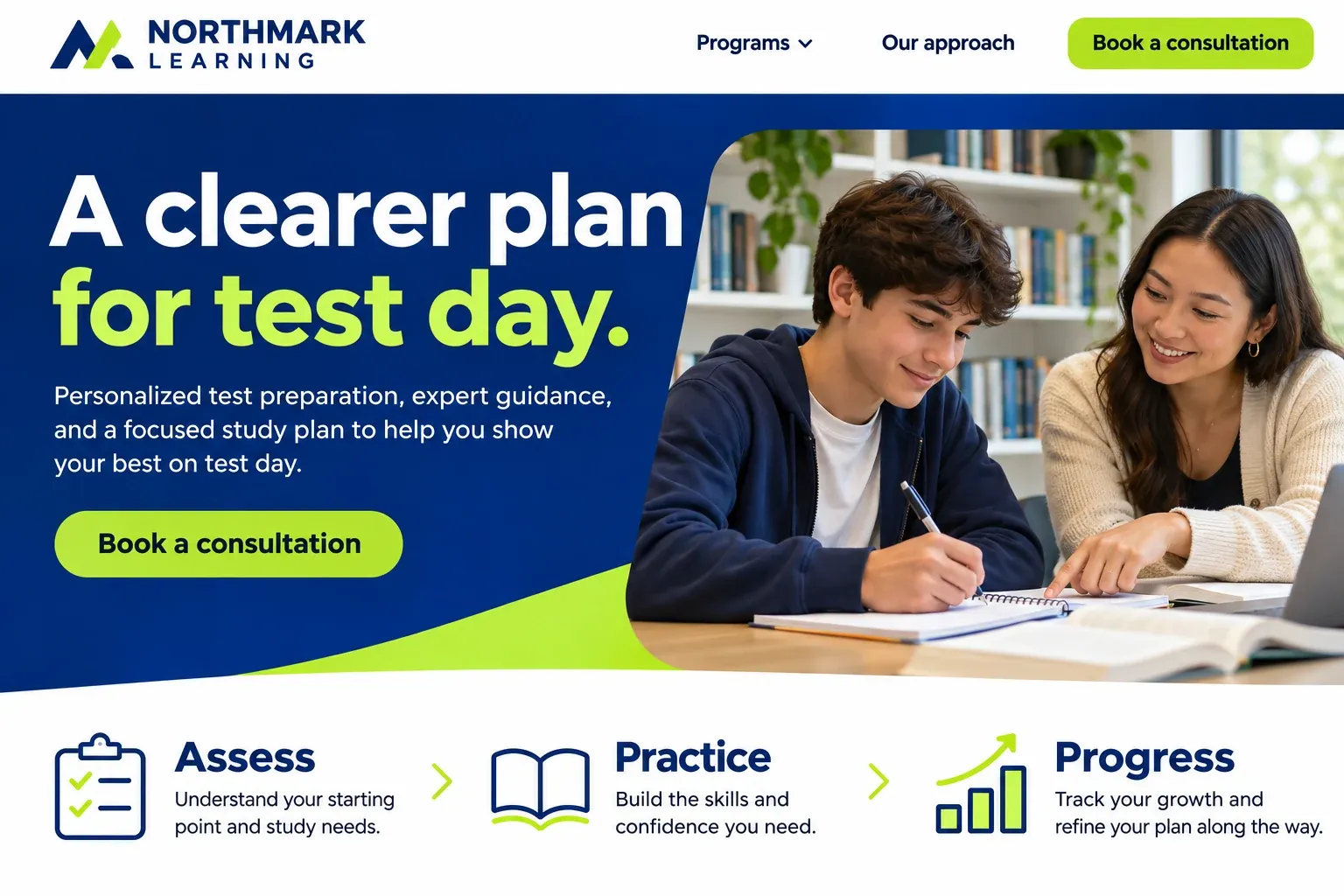
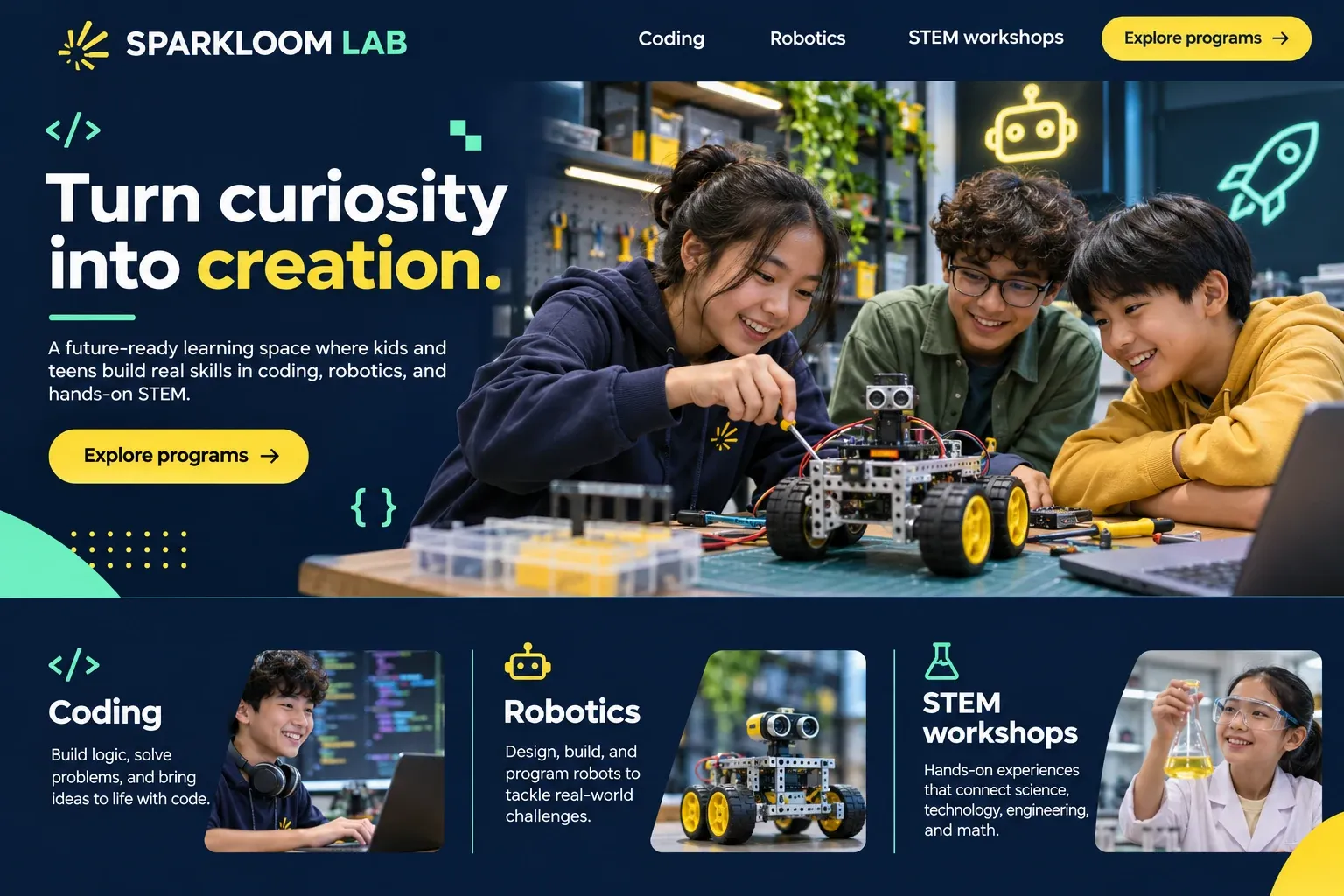
Website design concept for coding and stem schools, an illustration
Illustration only: the design, business name and logo are made up to show the kind of website we can build. Not a real business or client website. Yours is designed from scratch around your brand.

Your customer's story

The kid who takes everything apart

Tomas is ten and has taken apart two remote controls, a desk fan, and most of a toaster. His father, Ricardo, is proud and slightly worried about the toaster. A teacher mentions that Tomas might enjoy robotics, so one evening Ricardo searches for coding classes for kids and STEM programs near their home, not knowing the difference between half the terms he finds.

Some sites use technical jargon that loses him in the first paragraph. One lists courses without ages. The school he trusts shows clear pathways by age, from block coding and simple robots to Python and game design, with photos and short videos of student projects, instructor profiles with real backgrounds, and a page explaining how a trial class or placement chat works.

Ricardo books the trial for Saturday morning. The site did not try to impress him with buzzwords. It showed him where his son would start, what he might build over the coming months, and who would teach him. That is the job of a coding and STEM school website: making a technical subject feel welcoming to the parent who has to say yes.

Why it matters

Why coding and STEM schools need a website.

Coding and STEM programs are chosen by parents who may not know the subjects well, for children who often know more than they do. Parents compare ages, levels, class formats, camps, and teachers, and they want proof that kids build real things. A social media post shows a robot, but it cannot lay out a pathway from first lesson to advanced projects or answer what a beginner actually needs.

We build coding and STEM school sites around pathways. Each track, such as coding, robotics, game design, or engineering, gets a page with ages, levels, and what students make. Student project galleries and instructor profiles show the learning. Camps, after-school classes, and private lessons are listed clearly, and a class inquiry form or your enrollment tool makes the next step simple.

What your customers search for

  • coding classes for kids near me
  • robotics class in Miami
  • stem summer camp
  • game design classes for teens
  • python classes for kids
  • after school coding program

Your customers

What parents ask before choosing a coding or STEM program

  • Where does my child start?

    Pathways laid out by age and experience, with a placement note so parents of complete beginners and advanced students both know where to begin.

  • What will they actually build?

    A gallery of student projects, games, robots, and apps, shared with permission, showing what students make at each stage.

  • Who teaches the classes?

    Instructor profiles with real backgrounds in software, engineering, or teaching, and how they work with younger students and beginners.

  • Do they need their own laptop?

    Equipment and software notes for each class, what the school provides, and how online classes work if you offer them.

What we build

What a website for coding and STEM schools should include.

  • Learning pathways

    Coding, robotics, game design, and engineering tracks, each with ages, levels, and the skills students build.

  • Student project gallery

    Screenshots, photos, and short videos of student work, shared with permission and grouped by pathway.

  • Instructor profiles

    Background, specialties, and teaching style for each instructor, written honestly and approved by them.

  • Camps and class calendar

    Weekly classes, holiday camps, and summer programs with dates, times, and locations in one place.

  • Trial or placement request

    The child's age, experience, interests, and preferred days, sent straight to your inbox for a placement reply.

  • Parent guide to the jargon

    A plain explanation of the languages, tools, and competitions mentioned on the site, written for parents.

Planning guide

What should a coding or STEM school website include?

A coding or STEM school website has to translate. It should turn technical programs into clear choices a parent can make, while still exciting the student who will attend, and show that children are supported and learning something real. Here is how we plan a site for a coding and STEM school, what to show, and how families nearby find it.

Structure the site around pathways

Families need to see where a child starts and where they can go. Give each track its own page: coding, robotics, game design, electronics, engineering, or whatever you teach. Within each, show levels by age and experience. Add pages for camps, instructors, the calendar, parent information, and contact. A clear map of progression helps parents picture a long relationship, not a single class, and shows students what they can work toward next.

Let student projects do the talking

Nothing explains a STEM program better than what students make. Share screenshots of games, short videos of robots, photos of builds, and links to apps, with permission from families and without children's full names. Instructor profiles should list real experience, not inflated titles. If students take part in competitions, mention it honestly, without claiming results you cannot document.

Make the first step easy

Many schools begin with a trial class or placement conversation. A short form asking for the child's age, experience, interests, and preferred days gives you what you need to reply. If you use an enrollment or class management system, link it from every pathway page. Explain equipment needs, online options, and missed class rules in plain words.

Write a short parent guide that explains the jargon: block coding, Python, microcontrollers, competitions, and anything else your classes mention. Parents who understand the terms feel more confident saying yes, and they ask better questions at the first meeting. Keeping the guide on its own page also helps search engines connect your school to those topics.

Help families find your programs

Parents search simply: coding classes for kids near me, robotics class in Miami, STEM summer camp, game design class for teens. Give each pathway and camp a page that uses those words. Keep your Google Business Profile current with photos of classes and the right hours, and invite families to leave honest reviews when a session ends. Post camp dates early, since parents book school break programs well ahead.
In your market

Built for coding and STEM schools in South Florida

Many South Florida families look for technology learning outside the school day, and plenty of children here grow up bilingual. Summer, winter, and spring breaks bring demand for camps, and traffic makes location and class times important when parents are driving across the county after work. We can add a Spanish version for parents, list every location and online option clearly, and give camp schedules a prominent place before school breaks, when local families start planning.

Questions

Questions coding and STEM schools ask us.

How should our coding school show student projects?

Through a gallery of screenshots, short videos, and photos of builds, grouped by pathway, with links to playable games or apps where it is safe. We share work only with family permission, use first names or initials at most, and you approve each item.

Can parents book a trial class through the STEM school website?

Yes. A short form sends the child's age, experience, interests, and preferred days to your inbox, or we link your enrollment or scheduling tool so parents can choose a time directly. Each pathway page carries the same clear button.

How technical should our coding school website be?

Technical enough to excite students, plain enough for parents. We write pathway pages in everyday language, explain each tool or language once in a parent guide, and keep detailed curriculum notes lower on the page for families who want them. You approve every line.

Should our STEM school list camps and classes separately?

Yes. Weekly classes, school break camps, and summer programs are planned at different times and searched with different words. Separate pages with dates, ages, and locations let parents find the right one quickly, while a shared calendar shows everything at a glance.

Let's talk

Ready for a website built for coding and STEM schools?

Tell us about your business and we will come back with a clear recommendation and a fixed quote. No pressure, no jargon.

Trades we design for

See all 436 trades

436 trades

  • Plumbers website design concept
CallFree quote