Web design for electronics repair shops

Website design for electronics repair shops.

Electronics repair customers often arrive with something nobody else will touch: a vintage receiver, a flat-screen TV with no picture, a mixing console, a game system that died after a storm. They want to know, before the drive, whether you will look at it.

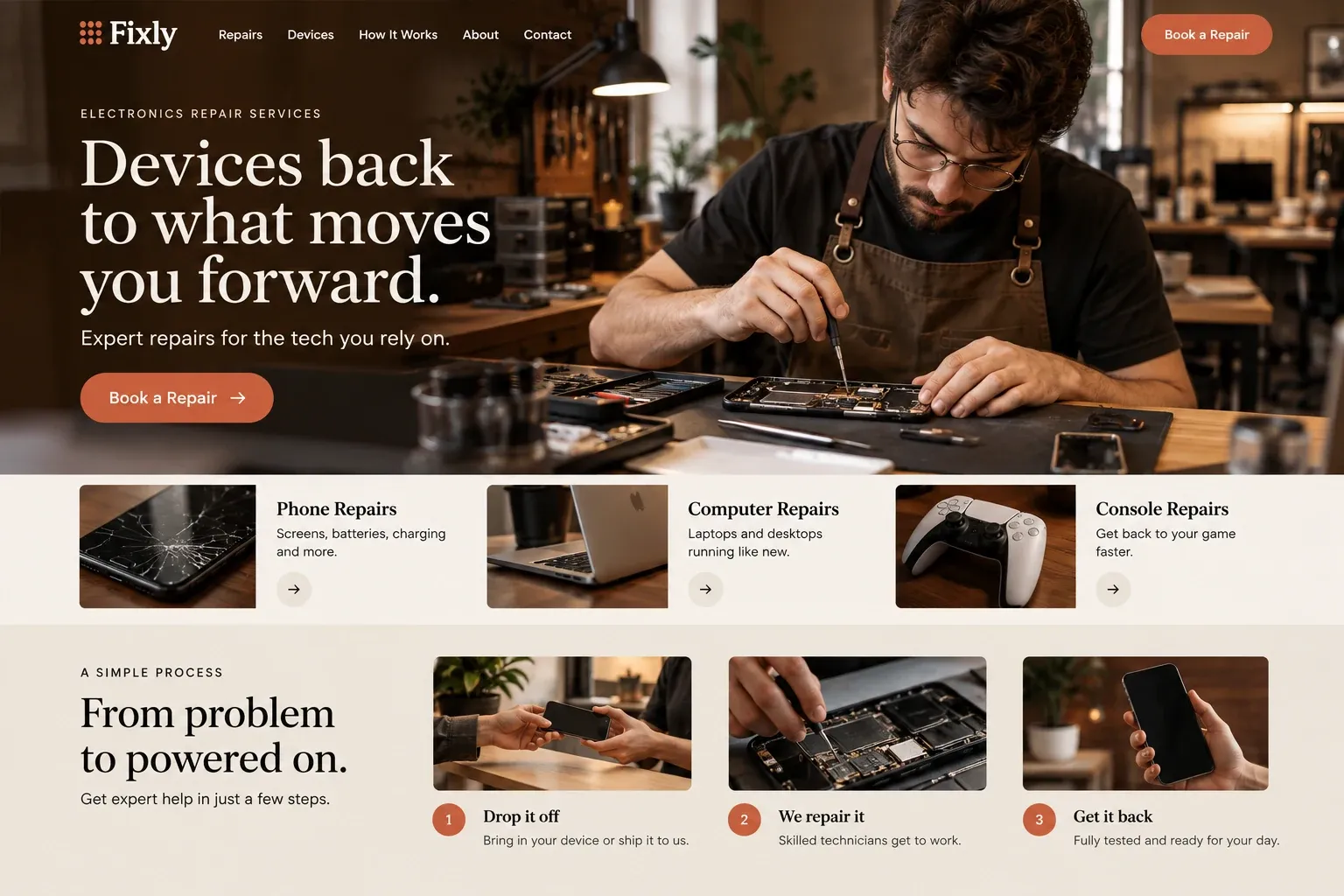
Fictional electronics repair services website homepage design concept
A design concept for a fictional brand. Your site is designed from scratch around yours.

Your customer's story

A vintage amplifier nobody wants to open

Raúl's father bought the stereo amplifier new in the seventies, and it has played every family party since. Last weekend it began to hum, then one channel went silent, and on Tuesday it smelled faintly of something burning. Raúl unplugs it and carries it to the dining table. It weighs more than he remembers, and the back panel is covered in tiny print.

He calls two shops from the first search results. One only fixes phones. The other says it does not open vintage audio. On a third site he finds a page listing what the shop repairs, including vintage amplifiers, receivers, and turntables, and a note on what it does not take. It asks for the brand, model, and photos of the front and back before he brings anything in.

He sends three photos and a description of the hum. The technician writes back that evening, asks whether the hum changes with the volume, and explains that the first step is an inspection with an estimate before any work. Raúl has spent a week being turned away. A clear page about what the shop covers, and what to send first, is all it takes to win him.

Why it matters

Why electronics repair shops need a website.

Electronics repair covers a wide range: televisions, audio gear, game consoles, musical equipment, drones, and devices that fit no category at all. Customers are often unsure whether anyone repairs their item, and many have already been turned away once. They search for the device type, then look for a shop that states clearly what it covers, what it does not, and how to ask before making the trip. A directory listing cannot draw those lines.

We build electronics repair websites that define the scope plainly. Each category you service gets a page, from TVs and home audio to consoles and pro audio, with brands and common faults named. A page on assessment explains inspection, estimates, and when a repair may not make sense. The inquiry form asks for the device, model, what changed, and photos, so you can say yes, no, or bring it in, before anyone wastes a drive.

What your customers search for

  • electronics repair near me
  • tv repair Miami
  • vintage stereo repair
  • amplifier repair shop
  • game console repair
  • power surge damage tv repair

Your customers

What customers ask before bringing an unusual device to a repair shop

  • Will you even look at this?

    A coverage page listing the device types you repair and those you do not, so customers with an unusual item know where they stand.

  • What should I send you first?

    Clear instructions to share the brand, model, and photos of the front, back, and label before bringing a device in.

  • Can you get parts for something this old?

    An honest note that parts for older or rare devices can be hard to find, and how you discuss alternatives before starting.

  • What if it is not worth fixing?

    A plain explanation of your inspection and estimate process, and what happens to a device the customer decides not to repair.

What we build

What a website for electronics repair shops should include.

  • Device coverage pages

    Televisions, home audio, vintage gear, consoles, and musical and pro audio equipment, each with the brands and faults you handle.

  • Assessment boundaries

    A clear list of what you do not repair, which saves customers a trip and keeps your bench free of work you would turn down.

  • Model-and-photo inquiry

    Brand, model, what changed, and photos of the front, back, and label, sent to your email before drop-off.

  • Intake instructions

    How to bring a device in, which accessories to include, how items are tagged, and how customers hear back.

  • Storm and surge damage page

    A page for devices hit by power surges or outages, explaining what an inspection checks and what may be recoverable.

  • Bench photo gallery

    Real repairs on your bench, from opened amplifiers to console boards, captioned with the device and the fault.

Planning guide

How should an electronics repair shop explain what it fixes?

An electronics repair website lives or dies on clarity about scope. Customers arrive with very different devices and want a quick answer about theirs. The site should say what you repair, what you do not, how to ask first, and what happens on the bench. This guide covers those pages, the photos that help, the inquiry process, and how nearby customers find you.

Draw the lines on what you repair

Start with a coverage page and a page per category: TV repair, audio equipment repair, vintage stereo repair, game console repair, amplifier repair, and anything else you take regularly. Name the brands and faults you see most. Then list what you do not repair, such as phones or large appliances if those are outside your work. Clear limits save customers a trip and spare your counter from repeated refusals.

Show the inside of real repairs

Electronics customers rarely see the work, so show it. Photos of an opened receiver, a replaced row of capacitors, or a console board under the microscope tell people you work at component level, if you do. Caption each with the device and the fault. Name any training or certifications only where they are real, and avoid images that are not from your own bench.

Ask first, then bring it in

For an electronics shop, the inquiry form does a lot of sorting. Ask for the device type, brand and model, what changed and when, and photos of the front, back, and label. Ask whether it was affected by a storm, a spill, or a drop. The message arrives in your email, so you can say yes, no, or bring it in before anyone loads a heavy item into a car.

Explain intake on its own page: what to bring, such as remotes or power supplies, how items are tagged, how inspections and estimates work, and how long you hold devices the customer decides not to repair. Honest terms prevent disputes, and they show a first-time customer that your shop is organized and that their device will not be forgotten on a shelf.

Help searchers with odd devices find you

Electronics searches are specific: a brand and model plus a symptom, or a category like vintage audio repair near me. Category pages and a few detailed repair examples give search engines precise subjects. Keep your Google Business Profile consistent with the site, add bench photos, and ask customers to mention the device in reviews. Over time this helps unusual searches reach you, though rankings cannot be promised.

In your market

Electronics repair in South Florida

Lightning, summer storms, and hurricane outages send surges through home wiring here, and televisions, audio systems, and consoles often fail right after. Humidity and salt air corrode boards and connectors, especially in homes near the water and on boats. Vintage audio and musical equipment have a loyal following in a city full of music and nightlife. Many customers prefer Spanish. We write pages for these situations, explain your scope plainly, and can add a Spanish version of the site.

Questions

Questions electronics repair shops ask us.

Should our electronics repair site list what we will not repair?

Yes, briefly and politely. Customers with unusual devices appreciate knowing before they drive over, and your counter spends less time turning people away. We place the list on the coverage page and near the inquiry form, with a line inviting questions about anything not listed.

Can customers send model numbers and photos before bringing a device in?

Yes. The inquiry form asks for the device type, brand, model, what changed, and photos of the front, back, and label. It arrives in your email, so you can reply with a yes, a no, or a question, and the customer knows what to expect before the trip.

How do we explain inspections when parts for old electronics are hard to find?

Plainly. Explain that an inspection identifies the fault, that you share an estimate before work, and that parts for older or rare devices can take time to locate or may no longer exist. Customers respect honesty, and it avoids frustration when a vintage repair takes longer than expected.

Is a page about storm and surge damage useful for an electronics shop?

In South Florida, often yes. After storms, people search for help with televisions, audio gear, and consoles that stopped working. A page explaining what an inspection checks, what may be repairable, and how you can describe the damage in writing if their insurer asks gives those searches a helpful answer.

Let's talk

Ready for a website built for electronics repair shops?

Tell us about your business and we will come back with a clear recommendation and a fixed quote. No pressure, no jargon.

Trades we design for

See all 226 trades

226 trades

  • Plumbers website design concept
CallFree quote