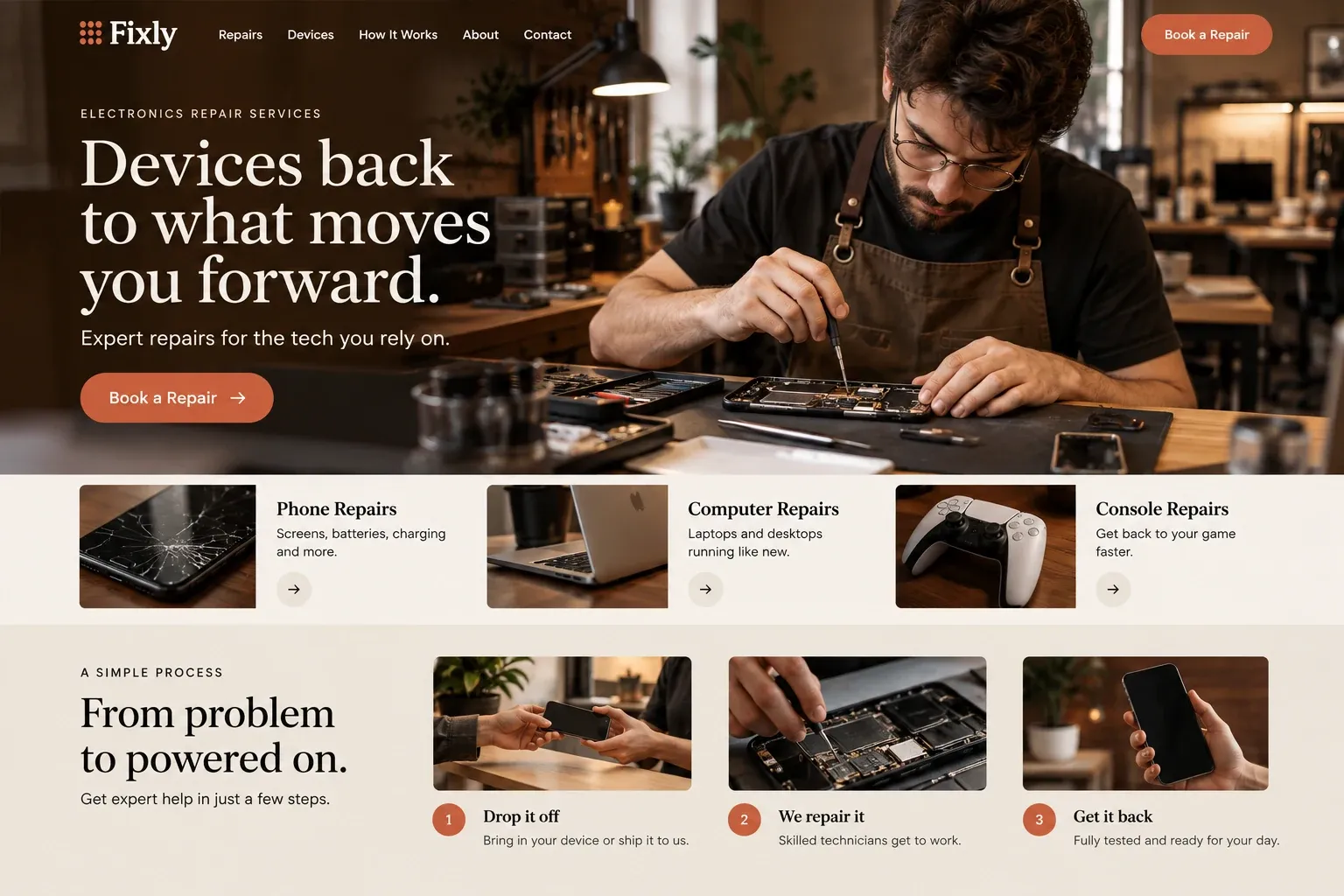
Web design for computer repair shops

Websites that make tech help feel less intimidating.

Most people search for computer repair on the worst day of their week: a laptop that will not boot, a pop-up claiming a virus, files that vanished before a deadline. They want plain answers from someone who will not talk down to them.

Fictional computer repair services website homepage design concept
A design concept for a fictional brand. Your site is designed from scratch around yours.

Your customer's story

A black screen on a Monday morning

Andrés runs a two-person import office in Doral, and at eight on Monday morning his laptop shows a black screen with a blinking cursor. Every invoice and shipping document for the week is on it, along with a presentation for a client at two. He restarts it three times. On the third try it makes a faint clicking noise he has never heard before, and his stomach drops.

He searches on his phone for computer repair nearby. One site is full of words he does not understand and a chat bubble that asks for his card number. Another lists only gaming PC builds. A third explains, in plain words, how it diagnoses a laptop, what it does to protect files during repair, whether it handles business machines, and offers an appointment form that asks what happened rather than what part failed.

He books the first slot, mentions the clicking, and drives over. The technician explains the difference between a failing drive and a failed one before touching anything. Andrés does not need technical vocabulary to choose that shop. Its website has already shown him that it explains things patiently and treats data with care, which is what a worried customer is really looking for.

Why it matters

Why computer repair shops need a website.

Computer repair customers range from a student with a cracked laptop screen to an office whose server will not start. Most cannot name the fault, and many are wary after scam calls and fake pop-ups. They look for a shop that explains its diagnosis, says what happens to their data, and separates home repairs from business support. A directory listing cannot answer any of that, and a social page cannot show how you treat a customer who is already stressed.

We build computer repair websites in plain language. Device repairs, virus and malware cleanup, data recovery, upgrades, and business support each get their own page, with Mac and Windows work named clearly. A page explains how diagnosis works and how you discuss data before any repair. The booking form asks what the customer noticed in everyday words, so nobody has to guess at technical terms to ask for help.

What your customers search for

  • computer repair near me
  • laptop repair Miami
  • virus removal service
  • data recovery service
  • mac repair shop
  • laptop screen replacement

Your customers

What customers ask before trusting a shop with their computer

  • What happens to my files?

    A plain page on how you handle data during repair, when you recommend a backup first, and how you discuss privacy before work starts.

  • Can you tell me what is wrong first?

    A clear explanation of your diagnostic process, whether there is a fee to diagnose, and how you share findings before any repair goes ahead.

  • Do you work on Macs too?

    Device pages for Windows laptops and desktops, Macs, and custom-built PCs, with the repairs you do on each and anything you refer elsewhere.

  • Can you help my small office?

    A business support page covering setup, networks, backups, and on-site visits, so office owners see you handle more than single repairs.

What we build

What a website for computer repair shops should include.

  • Device and service categories

    Laptops, desktops, Macs, and custom PCs, with pages for screen repair, upgrades, malware cleanup, and data recovery.

  • Diagnostic terms explained

    What your diagnosis covers, whether it carries a fee, and how results are shared before any repair begins.

  • Data handling page

    How files are treated during repair, when a backup is recommended, and how customers can ask questions about privacy.

  • Plain-language booking form

    Device type, brand, what happened, and when it started, with no technical terms required to send it.

  • Business IT support

    Office setup, networking, backups, and on-site visits for local businesses, explained on a page of its own.

  • Scam and pop-up help

    A page for people worried about fake support calls and warning pop-ups, with a clear way to get a real check.

Planning guide

What should a computer repair shop's website explain?

A computer repair website works best when it lowers the temperature. Visitors are often stressed, short on time, and unsure what is wrong. The site should explain what you fix, how you diagnose, and how you treat their data, in words anyone can follow. Our approach to the pages, the proof, booking, and local search follows below.

Separate repairs from support

Home users and businesses search differently. One types laptop screen repair, slow computer fix, or virus removal. The other looks for office network setup or IT help for a business. Give device repairs, software problems, data recovery, and business support their own pages, and say clearly which brands and operating systems you handle. Add a page on how diagnosis works, an about page, and a booking page.

Show the bench and the people

Customers handing over a computer want to see who will open it. Photos of your workbench, the team, and the storefront help more than stock images of glowing circuit boards. Describe your experience truthfully, and name certifications only where your technicians actually hold them. Explain how you handle data during repair and when you recommend a backup first. Clarity here prevents many anxious phone calls.

Let people book in their own words

A booking or repair request form should ask what the customer noticed, not what part failed: the device type and brand, what happened, when it started, and whether anything important on it has no backup. Offer appointment times if you work by appointment, or say plainly that walk-ins are welcome. Requests arrive by email so you can prepare before the customer walks in.

Explain diagnostic terms clearly: what the check covers, whether there is a charge, and how you share findings and options. If you offer pickup or on-site visits for businesses, describe them on their own page. Never ask for passwords through a website form. Instead, explain that access is discussed in person at drop-off.

Get found when the screen goes dark

Computer repair is a near-me search, often made on a phone because the computer will not work. Keep your hours, address, and phone consistent on the site and your Google Business Profile, list the neighborhoods you serve, and invite reviews that describe the problem you solved. Service pages give search engines precise topics. None of this promises a ranking, but it helps over time.


In your market

Computer repair in South Florida

Summer thunderstorms and hurricane season bring power surges and outages here, and many repair calls follow them: dead power supplies, damaged chargers, and drives that did not survive a hard shutdown. Humidity and salt air are hard on electronics near the coast. Local businesses, from import offices to clinics, rely on a few machines and need quick, careful help. Many customers prefer Spanish. We write pages for home and business customers and can add a Spanish version of the site.

Questions

Questions computer repair shops ask us.

How should a computer repair site talk about customer data?

Plainly and honestly. Explain how files are treated during repair, when you suggest a backup first, and how access to the device is discussed in person. Avoid promises about data recovery you cannot keep. A calm, clear page on this topic reassures customers more than any badge or slogan.

Can customers book a computer repair appointment online?

Yes. A booking form can collect the device, the problem in everyday words, and a preferred time, sent to your email for you to confirm. If you already use a scheduling tool, we can link to it or embed it. The form never asks for passwords or other sensitive details.

Should we separate home computer repair from business IT support?

If you offer both, yes. A homeowner with a slow laptop and an office manager with a network problem search differently and want different reassurances. Separate pages let each find the right service, and the business page can explain on-site visits, setup work, and ongoing support in its own terms.

Is it worth adding a page about tech support scams?

Many computer repair shops find it useful. People who have seen fake virus warnings or received calls claiming to be from a big tech company often search for help afterward. A short page explaining what to do next, and how you can check the machine, answers that search and shows you as a trustworthy local option.

Let's talk

Ready for a website built for computer repair shops?

Tell us about your business and we will come back with a clear recommendation and a fixed quote. No pressure, no jargon.

Trades we design for

See all 226 trades

226 trades

  • Plumbers website design concept
CallFree quote