Web design for photographers

Website design for working photographers.

People hire a photographer with their eyes first and their questions second. They fall for a style, then want to know where the session happens, what it includes, and when the photos arrive.

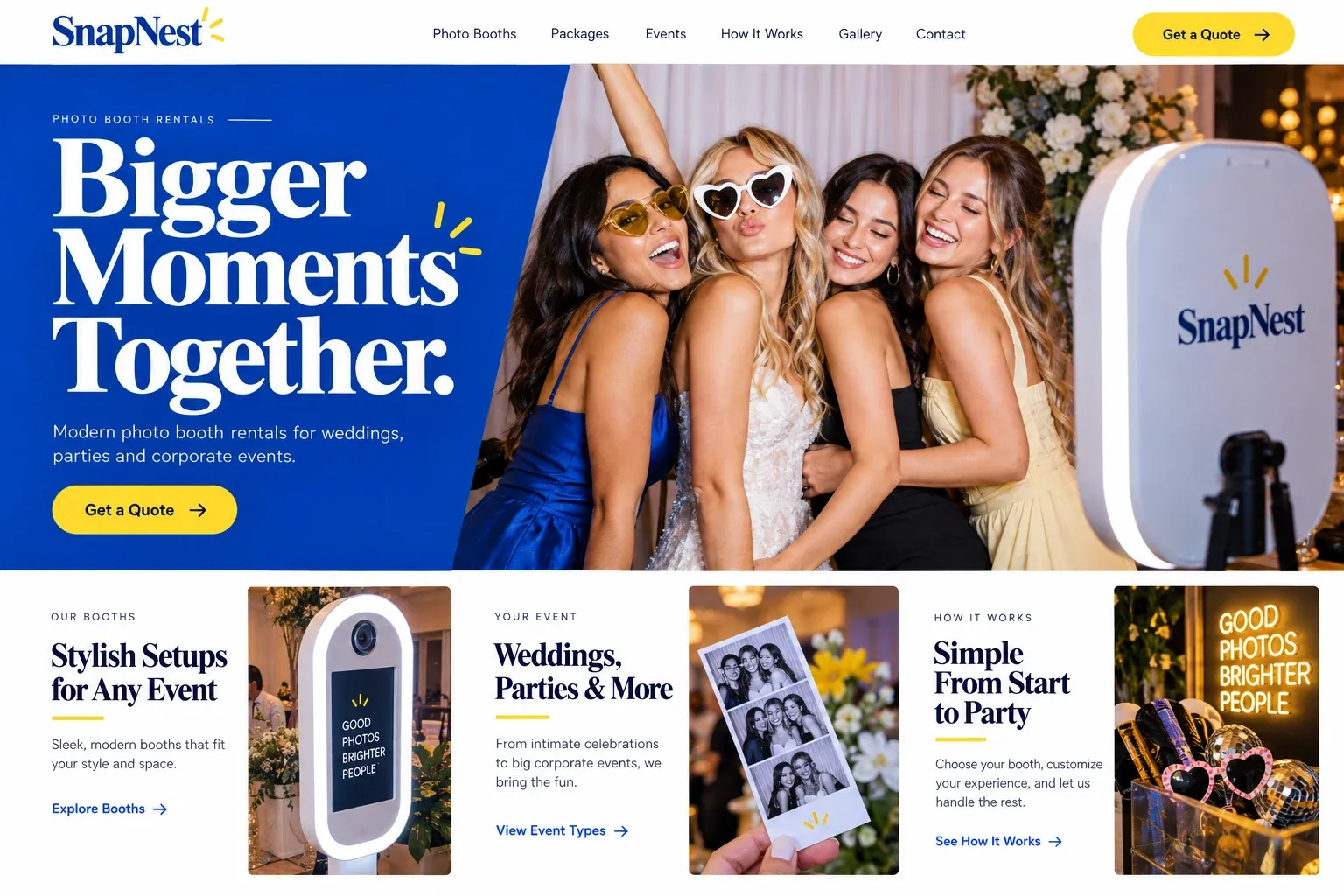
Fictional photographers website homepage design concept
A design concept for a fictional brand. Your site is designed from scratch around yours.

Your customer's story

Her daughter turns fifteen in March

Gabriela has been planning her daughter's quinceañera since last summer. The hall is booked, the dress is on order, and her sister keeps sending her photographers from Instagram. Every feed looks lovely and every feed looks the same at a glance. One evening, after the dishes, she sits on the couch with her phone and starts opening their websites, hoping to tell them apart.

The first site is a single scrolling wall of weddings, newborns, and car dealerships, with no hint of how a party is covered or what arrives afterward. The second asks her to send a message on Instagram and wait. The third has a gallery just for quinceañeras: the portraits before the mass, the grand entrance, the waltz with a father, the cake, and the cousins dancing late.

Under the gallery, a short page explains how the day runs, how many hours are covered, when the online gallery arrives, and whether prints and an album are possible. The inquiry form asks for the date, the venue, and the number of guests. Gabriela fills it in that night. A photographer's website should do exactly this: show the work people want, then answer the practical questions before they become reasons to wait.

Why it matters

Why photographers need a website.

Photography is bought by feeling and booked by logistics. A couple or a family scrolls Instagram to find a style they like, then searches Google for the photographer's name, or for "newborn photographer near me", to see whether the business is real and available. A social feed shows the latest favorites in no particular order. It cannot sort work by specialty, explain what a session includes, or take an inquiry with the date and location already filled in.

We build photography websites that do the sorting for you. Each specialty you want to be hired for gets its own gallery, edited tight, so a bride never has to scroll past headshots. A session page explains the experience from planning to delivery. Images are sized to load fast on a phone without looking soft, and the inquiry form asks the questions you would ask on the first call, so replies start with real details.

What your customers search for

  • family photographer Miami
  • photographer near me
  • quinceañera photographer
  • newborn photography session
  • professional headshots
  • beach wedding photographer

Your customers

What clients wonder before booking a photographer

  • Do you shoot what I need?

    Separate galleries for weddings, families, newborns, quinceañeras, headshots, or brand work, each showing complete sessions rather than one hero image apiece.

  • What happens during the session?

    A walkthrough of planning, location ideas, what to wear, how long you shoot, and how you put nervous kids or camera-shy adults at ease.

  • When do we get the photos?

    Your usual editing time, how the online gallery works, whether downloads include print rights, and what albums or wall prints you offer.

  • Are you free on our date?

    An inquiry form that leads with the date, place, and type of shoot, so you can check your calendar before writing back.

What we build

What a website for photographers should include.

  • Galleries by specialty

    Tightly edited sets for each kind of work you sell, so visitors see a full story, not a grab bag of favorites.

  • Session guide page

    Planning tips, wardrobe advice, and what the day feels like, written in your voice and approved by you.

  • Delivery and products

    How proofs arrive, what downloads include, and the albums and prints you offer, laid out before anyone asks.

  • Date-first inquiry form

    Date, location, shoot type, and group size, sent straight to your email so you can check availability first.

  • Fast, sharp images

    Photos compressed and sized for each screen, so galleries load quickly on a phone and still look crisp on a laptop.

  • Client gallery link

    A clear link to the proofing or gallery service you already use, such as Pixieset or ShootProof, for returning clients.

Planning guide

How should a photographer's website be organized?

A photographer's website has to work in two directions. It must show enough of your eye to make someone want you, and it must answer enough practical questions to make them write. Too many portfolio sites stop at the first half. Here is how we plan the pages, the galleries, the inquiry, and the parts that help new clients find you.

Edit galleries like a client will see them

Choose the two to four kinds of work you most want to be booked for and give each its own gallery page. Show complete sessions where you can: a wedding from getting ready to the send-off, a family session from wide shots to small details. Twenty strong frames beat eighty good ones. Retire work that no longer looks like you, because clients will expect whatever they see.

Describe the experience, not just the result

Admiring a photo and booking a session are different decisions. The second needs answers: how planning works, where you like to shoot, how long a session lasts, what people should wear, and what happens if it rains. A session page answers those in your own words. Add a few behind-the-scenes photos of you at work so people can picture the day, and a short about page with a real portrait of you.

Then explain delivery. Say roughly how long editing takes, how the online gallery works, whether clients can download and print, and which albums or wall pieces you sell. You can describe what each session includes without listing prices if you prefer to quote. Clear delivery details stop the slow back-and-forth that happens when a couple has to ask three questions before they can compare you.

Build an inquiry that respects your calendar

Your calendar is the real constraint, so the form should lead with the date. Then ask for the type of shoot, the location or venue, the number of people, and how they found you. For weddings and events, a field for the timeline helps. If you use a client management tool such as HoneyBook or Dubsado, the site can link to its contact form or booking page instead.

Get found for the shoots you want

Clients search by specialty and place: "family photographer Coral Gables", "headshots Brickell", "maternity photographer near me". A page for each specialty, with a few sentences about where you usually shoot, gives Google something specific to match. Keep your Google Business Profile complete, post new work there, and ask happy clients for a review when you deliver the gallery. It takes time, and no designer can promise a position, but this is the groundwork.

In your market

Built for photography in South Florida

South Florida gives photographers light most of the year and a calendar shaped by weather. Sunrise beach sessions beat the midday heat, summer storms roll in by afternoon, and hurricane season can move a wedding date. Quinceañeras, destination weddings, and seasonal visitors add work you rarely see elsewhere, and many clients plan in Spanish. Some parks and beaches set their own rules for professional shoots. We write pages that cover rain plans and favorite locations, and can add a Spanish version of the whole site.

Questions

Questions photographers ask us.

Should a photographer's website show every kind of work we do?

Usually not. Show the kinds of work you want more of, each in its own gallery, and leave out the jobs you take only to fill the calendar. Visitors book what they see. If you still do some other work, a short line on the contact page can mention it without crowding the galleries.

Will large photo galleries slow down our photography site?

Not if they are prepared properly. We export each image at the sizes different screens need, use modern formats, and load photos as the visitor scrolls. Your originals stay with you. The result is a gallery that opens quickly on a phone over cellular data and still looks sharp on a large monitor.

Can the site connect to the client gallery and booking tools photographers already use?

Yes. We link or embed tools such as Pixieset, ShootProof, HoneyBook, or Dubsado, depending on what each one allows. Clients see your design on the website and your usual tool for proofing, contracts, or payments, so you do not have to change how you run sessions.

Can we post photos of clients on our photography website?

Use images only with your clients' permission, which many photographers cover in their session agreement. For sensitive work such as newborn or boudoir sessions, ask again before publishing. We post only the images you choose and can leave names off, so a gallery shows the work without identifying anyone.

Let's talk

Ready for a website built for photographers?

Tell us about your business and we will come back with a clear recommendation and a fixed quote. No pressure, no jargon.

Trades we design for

See all 226 trades

226 trades

  • Plumbers website design concept
CallFree quote