Web design for family medical practices

Website design for family medical practices.

Families pick a doctor once and then stay for years. That choice usually happens after a move, a job change, or a new insurance card, and it starts with a search for a practice that is taking new patients.

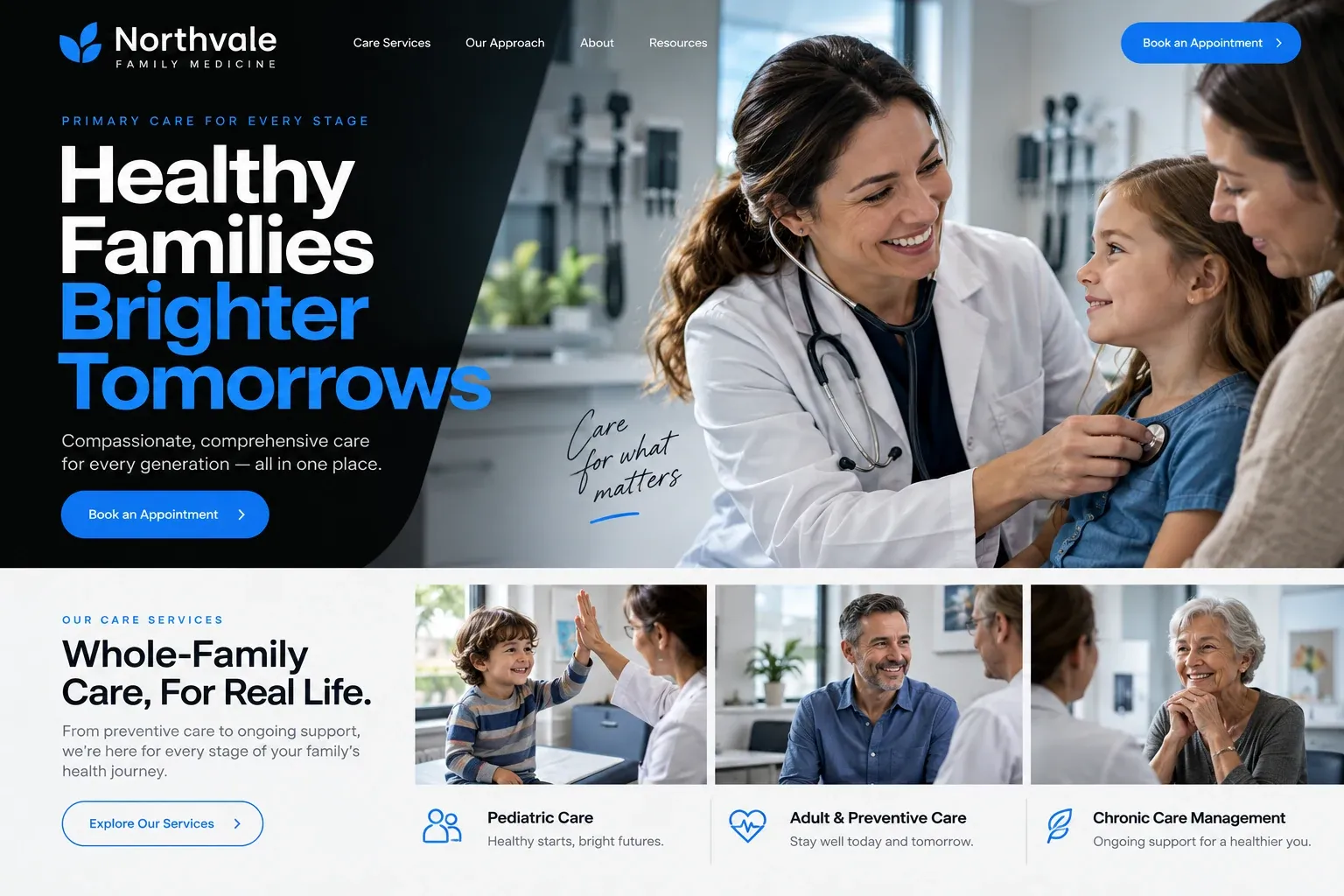
Fictional family medical practices website homepage design concept
A design concept for a fictional brand. Your site is designed from scratch around yours.

Your customer's story

New house, new school, no family doctor

The moving boxes are still stacked in the garage when Priya opens the school's welcome letter. Both kids need a health form signed by a doctor before the first day, and the family has no doctor in Florida yet. Her husband's new job comes with an insurance card she has never used. After dinner she sits on the floor of the half-empty living room and searches "family doctor accepting new patients near me".

The first practice she opens shows a stock photo of a stethoscope and the words compassionate care, with no names and nothing about new patients. The second lists two doctors but not whether either one sees children. The third introduces each doctor and nurse practitioner with a photo and the ages they see, names her insurance company, and says near the top, in plain type, that it is accepting new patients this month.

Priya sends the request form with her name, her number, and the words "new family, two kids and two adults". Nothing else is asked, and nothing else is needed. The practice she picks may not be the closest one, but it is the only one that tells her who the family will see and whether there is room for them. That is the work a family practice website has to do before anyone walks in.

Why it matters

Why family medical practices need a website.

Choosing a family doctor is a slow, careful search that happens a few times in a lifetime: after a move, when a doctor retires, when an employer changes plans. People compare who the clinicians are, whether children and older parents can be seen in the same office, which plans are accepted, and how hard it is to get a same-week visit. A directory listing gives an address and a star rating. It cannot introduce your doctors or say you have room.

We build family practice sites around that decision. Each clinician gets a profile with a photo, credentials, languages spoken, and the ages they see. New patients find one page with accepted plans, what to bring, and how to transfer records. The request form takes a name, a phone number, and a preferred time, nothing clinical, and anything sensitive goes through your patient portal. Your team approves every word before launch.

What your customers search for

  • family doctor near me
  • primary care physician accepting new patients
  • spanish speaking doctor Miami
  • doctor for the whole family
  • same day sick visit
  • pediatrician and adult doctor same practice

Your customers

What families ask before choosing a family doctor

  • Are you taking new patients?

    A clear status line on the home page and the new patient page, updated whenever a clinician's schedule opens or fills.

  • Can the whole family come here?

    Each clinician's profile says which ages they see, from newborns to grandparents, so parents know whether one office can cover everyone.

  • Will I see a doctor or someone else?

    Profiles for physicians, nurse practitioners, and physician assistants, with plain notes on who handles first visits, follow-ups, and same-day sick appointments.

  • How do I move my records over?

    A short new patient page explaining how records transfer, what to bring to the first visit, and where to find the portal forms.

What we build

What a website for family medical practices should include.

  • Clinician profiles

    A photo, credentials, languages, the ages each clinician sees, and a few lines in their own words about how they practice.

  • New patient status

    A line, updated whenever you tell us, saying which clinicians are accepting new patients, shown on the home page and profiles.

  • Services in plain words

    Annual physicals, sick visits, school and sports forms, vaccines, and chronic condition follow-ups, each explained the way patients describe them.

  • Portal and forms links

    Clear buttons to your patient portal for messages, results, and intake forms, so the public site never handles medical details.

  • Accepted plans page

    The insurance plans you take, listed by name, with a note for patients whose plan is not on the list.

  • Hours and urgent guidance

    Office hours, after-hours phone instructions, and a plain line telling anyone with an emergency to call 911 instead of using the site.

Planning guide

How to plan a website for a family medical practice

A family practice website serves people at very different moments: a parent with a feverish toddler, a retiree comparing doctors, a new arrival with an empty contacts list. Most of them want the same few facts. This guide covers the pages to plan, what to put on them, how patients should reach you, and how the site supports local search.

Build the site around people, not slogans

Patients choose a family doctor as a person. Give every physician, nurse practitioner, and physician assistant a profile with a real photo, training, languages, the ages they see, and a short note in their own voice. Then add a services page that names the everyday reasons people come in, such as physicals, sick visits, vaccines, and forms for school or work. Keep descriptions general and leave any advice to the visit itself.

Make the new patient path obvious

A new patient page does more for a family practice than almost any other page. Say who is accepting new patients, which insurance plans you take, what to bring, how records are transferred, and where to complete intake forms through your portal. Add the office address with parking notes and a photo of the entrance, because the first visit often starts with someone circling a medical plaza looking for the right door.

Keep requests short and clinical details private

The public site should handle logistics, and your portal should handle health information. An appointment request form can ask for a name, a phone number, whether the person is new or established, and a preferred day. It should not ask for symptoms, medications, or history. If your scheduling system offers online booking, the site can link to it, and the portal button belongs in the header where returning patients look for it.

Say plainly what happens after hours. Give the number that reaches the on-call service if you have one, explain how same-day sick visits work, and tell anyone facing an emergency to call 911 rather than send a message. Clear instructions protect patients and spare your staff a morning of voicemails that should have gone elsewhere.

Help nearby families find the practice

Family medicine is chosen close to home, so local signals matter. Keep the practice name, address, and phone identical on the website and your Google Business Profile, and list the neighborhoods your patients come from. A page for each location helps if you have more than one office. Encourage reviews from patients who are happy to leave them, and show them on the site. None of this can promise a position in search results.

In your market

Built for family medicine in South Florida

South Florida families often split their care across languages and generations: a grandmother who wants a Spanish-speaking doctor, parents who prefer English, teenagers who would rather text than call. Older patients here commonly carry Medicare Advantage plans and ask about them first. Winter residents look for a practice to cover the months they are in town. Hurricane season brings closures that patients need to hear about quickly. We put languages, plans, and office updates where patients look, and can add a Spanish version of every page.

Questions

Questions family medical practices ask us.

Should every doctor and nurse practitioner in our practice have a profile?

Yes, if they see patients. Families choose a person, and a profile with a photo, training, languages, and the ages each clinician sees answers that question early. When someone joins or leaves the practice, tell us and we update the page, so patients never book with a doctor who has moved on.

Can our family practice website connect to the patient portal we already use?

Yes. We add clear portal buttons in the header and on the new patient page, linking to the login, intake forms, and online scheduling if your system offers it. Medical information stays inside the portal, and the public site only collects contact details through its request form.

How do we tell patients when our medical office closes for a hurricane?

We add a notice bar that can appear across the top of every page with closure dates, reopening plans, and how to reach the on-call service. Send us the wording by email or text and we post it, then remove it when the office is open again.

Can our family practice site explain services without giving medical advice?

Yes, and that is how we write it. Service pages describe what a visit is for, who usually books it, and how to prepare, in everyday words. They do not diagnose, recommend treatment, or promise results. A clinician on your team reads and approves every page before it goes live.

Let's talk

Ready for a website built for family medical practices?

Tell us about your business and we will come back with a clear recommendation and a fixed quote. No pressure, no jargon.

Trades we design for

See all 226 trades

226 trades

  • Plumbers website design concept
CallFree quote