Web design for dermatology practices

Dermatology websites that sort medical from cosmetic.

A dermatology practice serves two crowds who rarely want the same page: the patient worried about a changing mole and the patient planning a cosmetic visit. The site that sends each one to the right door earns both.

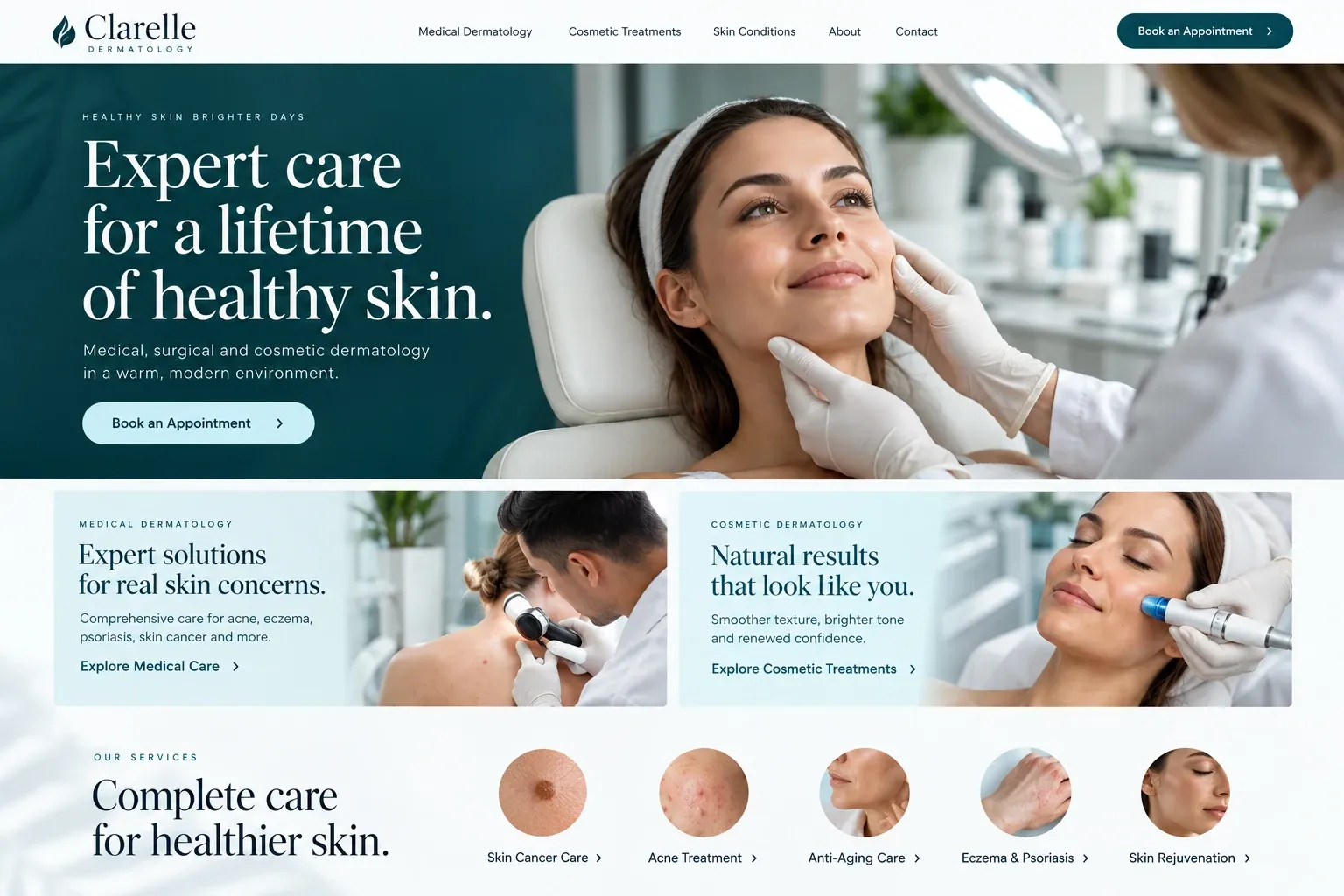
Fictional dermatology practices website homepage design concept
A design concept for a fictional brand. Your site is designed from scratch around yours.

Your customer's story

A mole that looks different in the mirror

David notices it while shaving: a spot on his neck that seems darker than he remembers. His wife tells him to get it checked, and his father had a skin cancer removed years ago, so he does not argue. At his desk the next morning he searches "dermatologist near me accepting new patients" and opens five practices in five tabs.

The first leads with fillers and a lip flip special. The second hides medical dermatology under a menu item called Our Story. The third has two clear paths on the home page, medical and cosmetic, and under medical a page on skin checks that explains what a full-body exam involves, who performs it, and how to request one. It also lists his insurance by name.

He requests a skin check through the form, which asks only for his name, phone, and preferred days. He does not attach a photo, because a line beside the form tells him photos go through the patient portal after he is registered. A dermatology website helps people like David by separating the worried from the curious, showing who the providers are, and leaving the diagnosis to the appointment.

Why it matters

Why dermatology practices need a website.

Dermatology search splits in two. Medical patients look for skin checks, rashes, acne, eczema, and psoriasis, and they filter by insurance and wait times. Cosmetic patients compare providers, treatments, and photos over weeks, often paying out of pocket. A single long services page muddles both, and a social feed full of injectables can make a medical practice look like a spa. The website is where you decide how each kind of patient meets you.

We build dermatology sites with separate paths for medical, surgical, and cosmetic care, each with its own pages, written in plain words from your notes and approved by your providers. Profiles show who is a board-certified dermatologist, who is a physician assistant or nurse practitioner, and what each one focuses on. Forms take contact details only, and anything clinical goes through your patient portal.

What your customers search for

  • dermatologist near me
  • skin check Miami
  • dermatologist accepting new patients
  • acne dermatologist
  • mole removal Miami
  • eczema specialist

Your customers

What patients need to see before booking a dermatologist

  • Is this the right kind of appointment?

    Clear paths for medical concerns, skin cancer checks and surgery, and cosmetic treatments, so nobody books a filler consultation when they meant a mole check.

  • Who will I actually see?

    Profiles that state each provider's role and training plainly, from dermatologists to physician assistants and nurse practitioners, with photos and the conditions they focus on.

  • Do you take my insurance?

    Accepted plans for medical visits listed by name, a note on referrals where a plan needs them, and a separate explanation of how cosmetic treatments are paid for.

  • How long until I can get in?

    Your real scheduling options, a note on how urgent concerns are handled, and a way to join a cancellation list if your practice keeps one.

What we build

What a website for dermatology practices should include.

  • Separate care paths

    Medical, surgical, and cosmetic dermatology each get a section of their own, with navigation that keeps visitors on the path they chose.

  • Provider role profiles

    Every clinician's title, training, and interests stated accurately, so patients know whether they are booking with a dermatologist, PA, or NP.

  • Condition library

    Acne, eczema, psoriasis, rosacea, hair loss, and skin checks, each explained in plain words, reviewed and approved by your providers.

  • Patient portal links

    Buttons to your portal for messages, results, and forms, so photos and health details never travel through the website itself.

  • Cosmetic treatment pages

    Injectables, lasers, peels, and other services on their own pages, with before and after images used only with written consent.

  • Skin surgery information

    If you perform Mohs or other skin surgery, a calm page on what the day involves, how long to plan for, and how follow-up works.

Planning guide

How should a dermatology website organize medical and cosmetic care?

Most dermatology practices offer more than one kind of care, and patients arrive with very different needs. The website's first task is sorting them. This guide covers how to structure the pages, what to show and what to leave out, how patients should book, and how the practice can be found for the searches that matter to it.

Give each kind of care its own front door

Put two or three clear choices on the home page: medical dermatology, skin cancer and surgery, and cosmetic treatments, if you offer all three. Each leads to its own section with its own pages and its own booking route. This keeps the patient with a rash away from injectable specials, and it lets the cosmetic side look as polished as it needs to without confusing anyone.

Treat educational pages with care

Condition pages help patients and search engines alike, but they are not a diagnosis. Describe each condition in plain terms, explain what a visit for it usually involves, and say which providers see it. Your clinicians review every page before it goes live. For cosmetic treatments, avoid promises about results, and use before and after photos only with written patient consent, labelled as individual results.

Route booking and photos the right way

Dermatology patients often want to send a picture of what worries them. An ordinary website form is the wrong place for it. Keep the contact form to a name, phone, email, and the type of visit wanted, and send anything clinical through your patient portal or telehealth platform. Say so near the form, in one friendly line, so patients know where photos belong.

If your practice management system offers online scheduling, link or embed it by visit type, since a skin check and a laser consultation usually need different time slots. List the plans you accept for medical care, explain cosmetic payment separately, and mention any cancellation list. Answers like these, available at night, save patients a phone call in the morning.

Show up for local skin searches

People search for a dermatologist nearby, often with a condition attached: acne, a skin check, hair loss. Separate pages for each give those searches a specific match. Keep each location's name, address, and phone consistent with its Google Business Profile, list the neighborhoods your patients come from, and show your reviews. Rankings are never promised, but a clear structure gives a good practice a fair chance.


In your market

Built for dermatology in South Florida

Sun is a year-round part of life here, from beach days and boating to long hours outdoors at work, and skin checks are a routine request for many practices. The cosmetic market is busy and competitive, and visitors from Latin America and beyond sometimes plan treatments around a trip. Many patients prefer Spanish or Portuguese. We separate medical and cosmetic care clearly, put languages and locations up front, and can add a Spanish version of each page.

Questions

Questions dermatology practices ask us.

Can patients send photos of a skin concern through our website?

We advise against it on the public site. Ordinary contact forms are not the place for clinical images or health details. Instead the form asks for contact information and visit type, and a short note points patients to your patient portal or telehealth platform if they want to share photos with your team.

How do we present PAs and nurse practitioners on a dermatology site?

Accurately and with respect. Each profile states the provider's actual title and training, the conditions or treatments they focus on, and the dermatologists they work alongside. Patients appreciate knowing whom they will see, and clear titles avoid confusion at check-in. You approve every profile before it is published.

Can our dermatology site have both a medical and a cosmetic feel?

Yes. The medical section stays clear and practical, with insurance, conditions, and booking up front. The cosmetic section can use richer photography and a softer layout while keeping the same accuracy. Both share one navigation, one brand, and one set of contact details, so patients always know they are at the same practice.

How do we announce a new dermatologist joining the practice?

We add a full profile, link it from the relevant condition and treatment pages, and place a short note on the home page while it is news. If the new provider has their own booking calendar, the profile links straight to it. Your Google Business Profile can be updated at the same time.

Let's talk

Ready for a website built for dermatology practices?

Tell us about your business and we will come back with a clear recommendation and a fixed quote. No pressure, no jargon.

Trades we design for

See all 226 trades

226 trades

  • Plumbers website design concept
CallFree quote