Web design for payroll providers

Website design for payroll providers.

Payroll is the one obligation a business owner cannot let slip. When they look for a provider, they want to see exactly what you handle, how switching works, and who answers when a paycheck looks wrong.

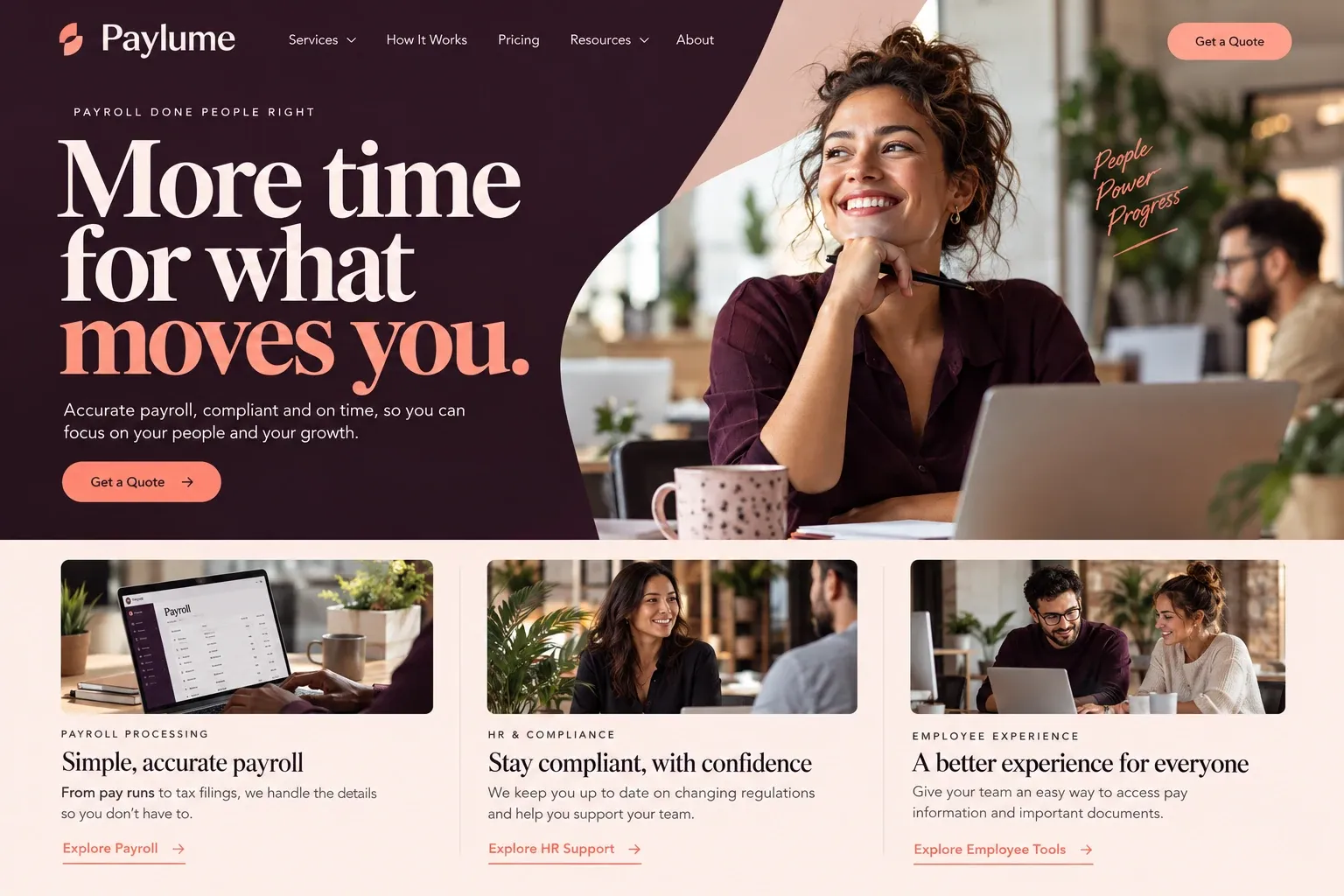
Fictional payroll service providers website homepage design concept
A design concept for a fictional brand. Your site is designed from scratch around yours.

Your customer's story

The week before the first hire starts

Dana's bakery has run on her, her brother, and a part-time cousin paid by check. Now a second location is opening, and five new hires start in three weeks. Her accountant tells her plainly that she needs real payroll: withholding, filings, direct deposit, and records. She has heard horror stories about notices and penalties, and she does not want to learn the system by making mistakes.

She compares a national app and two smaller payroll companies her accountant mentioned. The app's site is slick but she cannot find a human. One provider's site lists features and nothing else. The other explains, in order, how a new client is set up: a call about pay schedules and tipped staff, gathering employee details through a secure portal, a test run, and the first live payroll.

It also names who she would call with questions and the hours they answer. Its inquiry form asks how many employees, how often she pays, and which states, nothing more. Dana sends it between batches. A payroll provider's website earns trust by showing the routine it will run every pay period and the people standing behind it, not by listing features.

Why it matters

Why payroll providers need a website.

Switching payroll feels risky, so owners take their time. They usually start searching when they are about to hire, when a provider has made a costly mistake, or when they have outgrown an app. They compare what is included, how setup works mid-year, how they will get help, and whether the provider knows businesses like theirs. A comparison site lists brand names; it cannot show your onboarding, your support hours, or the person who picks up.

We build payroll provider websites around scope, setup, and support. One page states plainly what you handle and what stays with the client. Onboarding is laid out in stages, with what you need at each one. Support gets its own page with hours, channels, and named contacts if you offer them. The inquiry form asks for company size, pay frequency, and states, never for employee names, bank details, or tax IDs.

What your customers search for

  • payroll services for businesses
  • payroll company for restaurants
  • switch payroll provider
  • outsourced payroll service
  • payroll service with a dedicated rep
  • how to set up payroll for new employees

Your customers

What owners need to see before trusting a payroll provider

  • What exactly do you take care of?

    A scope page listing what you run, such as pay calculations, direct deposit, payroll tax filings, and year-end forms, and what stays with the client.

  • How painful is switching?

    An onboarding timeline in stages, including what happens when a business switches partway through the year and which records you will ask for.

  • Who do I call when something is off?

    A support page with real hours, phone and email channels, and whether each client gets a dedicated contact, written in your own words.

  • Have you handled payroll like ours?

    Short sections on the industries you serve often, such as restaurants with tipped staff, contractors with crews, or offices with remote workers.

What we build

What a website for payroll providers should include.

  • Plain service scope

    One page that separates what you handle every pay period from what the employer still owns, in everyday words.

  • Onboarding stages

    Discovery call, data gathering through your portal, a parallel or test run, and the first live payroll, shown step by step.

  • Support details page

    Hours, channels, expected reply times you can keep, and how urgent problems near a pay date are handled.

  • Company-profile inquiry

    Employee count, pay frequency, states with employees, and current provider, with no fields for employee or bank data.

  • Client and employee logins

    Clear buttons to the payroll platform's employer login and employee self-service portal, so pay stubs are one click away.

  • Add-on service pages

    Pages for time tracking, benefits administration, or workers' compensation coordination, only where you actually provide or partner on them.

Planning guide

How should a payroll company present its services online?

Payroll buyers are cautious because mistakes land on their employees and their tax accounts. A payroll provider's website should make the service concrete: what you do each pay period, how a new client gets set up, and how help works when something looks wrong. Here is a way to plan the pages, the inquiry, and the search basics.

Draw a clear line around the service

Start with a scope page. List what happens every pay period, such as calculating pay and deductions, direct deposit, and payroll tax deposits and filings, then what happens at year end. Just as clearly, list what remains the employer's job, such as approving hours and telling you about new hires and pay changes before the cutoff. Avoid sweeping promises about compliance or penalties; describe the work you do and let your service agreement carry the formal terms.

Make onboarding look manageable

Owners worry most about the switch. Show the stages in order: a discovery call, gathering company and employee information through your secure portal, setting up pay schedules and deductions, a review or test run, and the first live payroll. Say what you need from the client at each stage and roughly how far ahead of the first pay date they should start. If you handle mid-year switches, explain how prior payroll history is brought over.

Ask about the company, not the employees

The website inquiry should size the opportunity without touching sensitive data. Ask for the business name, contact details, number of employees, pay frequency, the states where people work, and the current payroll method. Leave out employee names, Social Security numbers, bank accounts, and tax IDs entirely; those belong in your secure onboarding portal after an agreement is signed. A one-line note beside the form saying so builds confidence.

Existing clients need a fast way in. Put the employer login and the employee self-service link in the header, so staff looking for a pay stub or a W-2 do not end up calling the owner. A support page with hours, channels, and how urgent problems near a pay date are escalated finishes the picture.

Be found by owners comparing providers

Payroll searches are often specific: "payroll for restaurants", "payroll service for contractors", "switch payroll provider mid year". Industry pages and a clear switching page match those searches better than a single services list. Many independent providers win clients through accountants, so a page for referral partners helps too. Keep a Google Business Profile for your office if you have one, gather reviews from clients, and keep every page current when your services change.
In your market

A market of switchers and first-time employers

Payroll is sold mostly online and by referral, and clients can sit in any state. Independent providers often compete with national apps by offering a named person, industry knowledge, and help in Spanish or other languages. Your site needs to make that difference visible and show which states you process for. We work with payroll providers anywhere by phone, video, and email, write each page from your notes, and can add a Spanish version for bilingual owners.

Questions

Questions payroll providers ask us.

How do we explain our payroll services without making compliance promises?

We describe the work itself: what you calculate, file, and deposit, on what schedule, and what the client approves. Formal responsibilities and any error policy stay in your service agreement, and the site can link to it or summarize it in words you approve. Nothing on the site claims to keep a client out of trouble.

Can our payroll website link to the platform our clients log in to?

Yes. We add clear buttons for the employer login and the employee self-service portal of whatever platform you run, in the header and footer. Employees looking for pay stubs or year-end forms can find them without calling the owner. We update the links if you ever change platforms.

What should a payroll provider's inquiry form ask?

Enough to size the account and no more: company name, contact details, number of employees, pay frequency, states where staff work, and the current payroll method. Employee names, Social Security numbers, and bank details come later through your secure onboarding portal, and the form says that in a short note.

We are a small payroll firm. How do we stand out next to the big national apps?

By showing what an app does not: the people behind the service. Profiles of the team, a support page with real hours and named contacts, pages for the industries you know well, and help in Spanish if you offer it. We write it plainly, without knocking competitors, and you approve every line before launch.

Let's talk

Ready for a website built for payroll providers?

Tell us about your business and we will come back with a clear recommendation and a fixed quote. No pressure, no jargon.

Trades we design for

See all 226 trades

226 trades

  • Plumbers website design concept
CallFree quote